
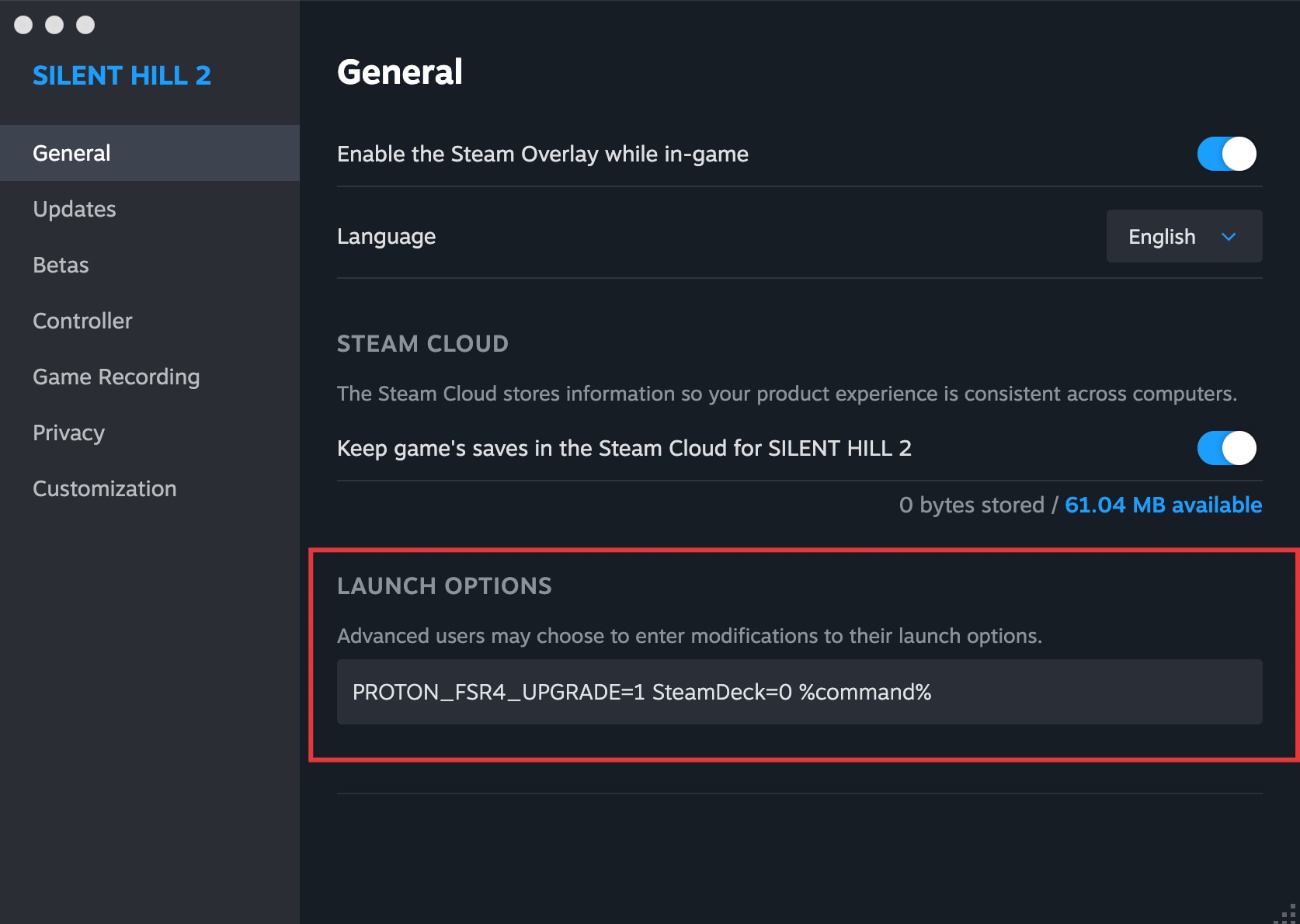
TL;DR: In Silent Hill 2 or any other (non-Vulkan) game that supports FSR 3.1 add the following Steam launch options and be sure to select the latest GE-Proton
PROTON_FSR4_UPGRADE=1 SteamDeck=0 %command%
The long story:
- make sure GE-Proton is installed and selected for the game in properties / compatibility. Under Bazzite I used Proton+ https://github.com/Vysp3r/ProtonPlus
- the game must support FSR 3.1 or the auto upgrade will not work
- Vulkan games like Doom: The Dark Ages are currently not supported for FSR 4 see https://github.com/optiscaler/OptiScaler/wiki/FSR4-Compatibility-List
- under properties and command line options add
PROTON_FSR4_UPGRADE=1 %command% - some games disable certain options (like Silent Hill 2) when under Proton/SteamOS and you must add
SteamDeck=0as well to be able to select FSR 3.1 - to verify that the upgrade worked, use the additional switch
PROTON_FSR4_INDICATOR=1that will add a text overlay to your game - only RX 9000 cards (i.e. 9060 or 9070) support this method
- a hack exists for older cards
Links: